I have two related observations regarding the dictionary / Wiktionary integration.
1) Wiktionary language selection
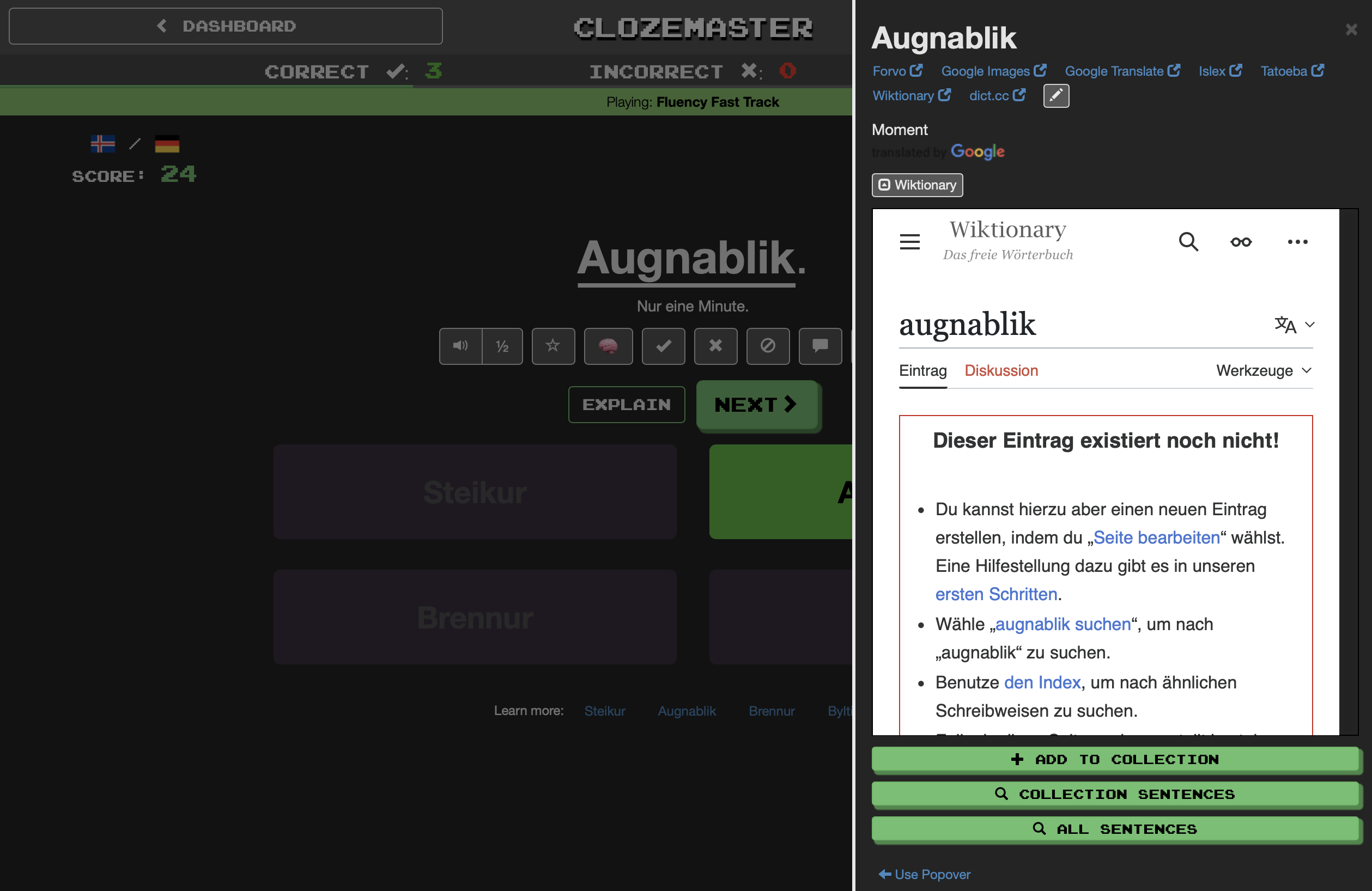
Currently, the language of the Wiktionary slide-out / overlay on desktop and iPadOS follows the target language (e.g. German). While this is consistent, the German Wiktionary often contains significantly fewer entries than the English one.
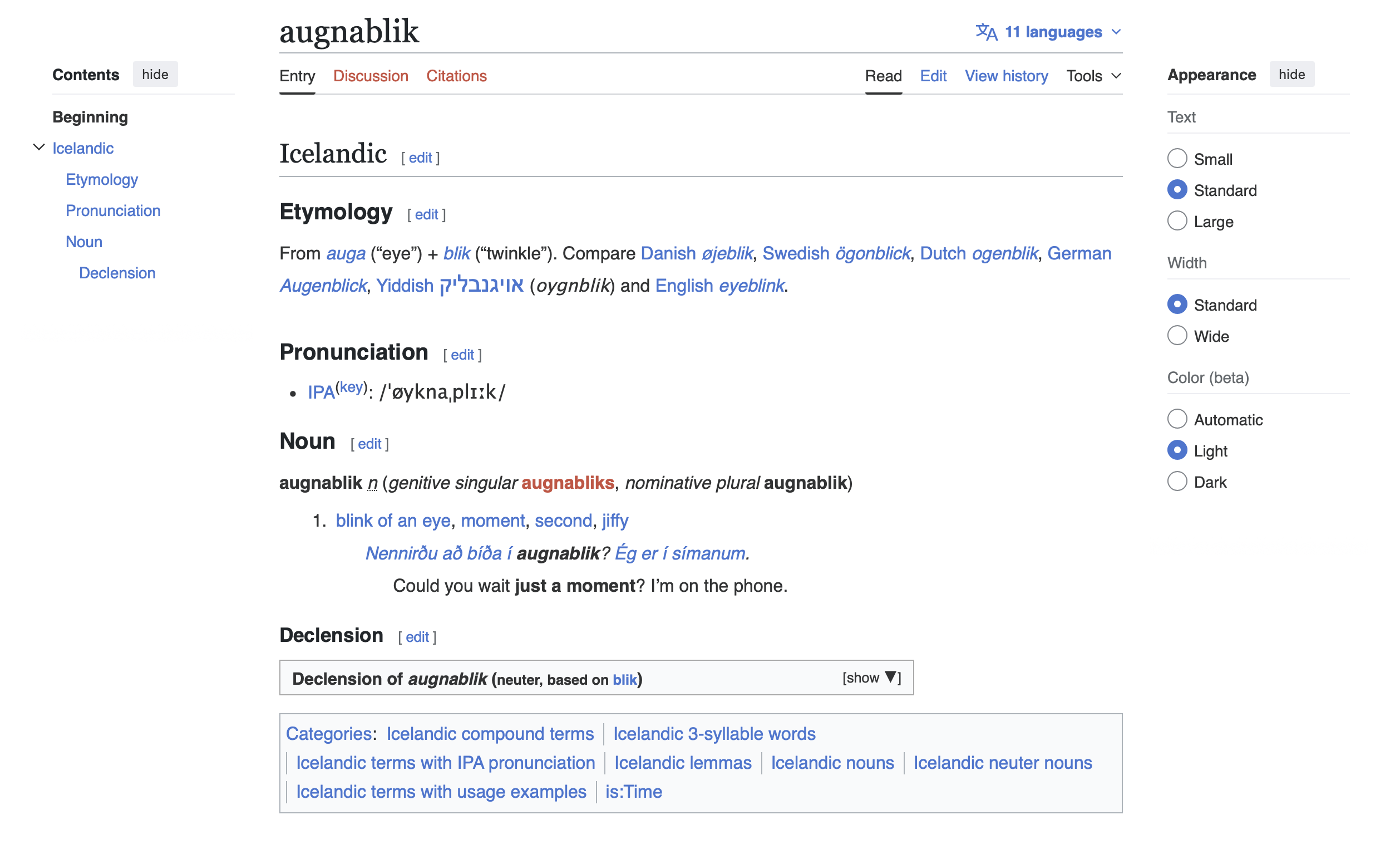
For example, when learning Icelandic, the English Wiktionary usually provides much richer information(etymology, usage notes, comparisons with related languages).
Suggestion:
It would be very helpful if the Wiktionary language could be selected manually (e.g. German / English), allowing users to choose the more informative source when available.
I’ve added screenshots below to illustrate the difference.
2) Integrated Wiktionary view missing in iOS
In a recent iOS update, the integrated Wiktionary view appears to have been removed. While external dictionary links are still available and configurable, I personally found the integrated view much more convenient.
I use Wiktionary quite extensively — especially for etymology when learning Icelandic — and the integrated view required fewer clicks and less context switching, which made it easier to stay focused while learning.
Suggestion:
If possible, I’d love to see the integrated Wiktionary view return in a future update.
Thanks for taking the time to read this, and for continuously improving Clozemaster.
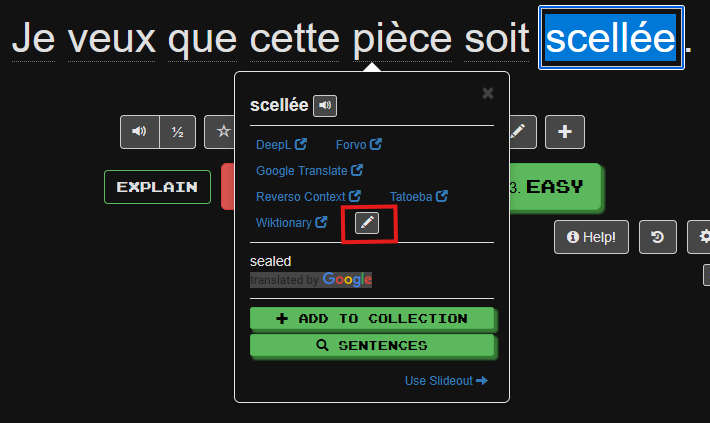
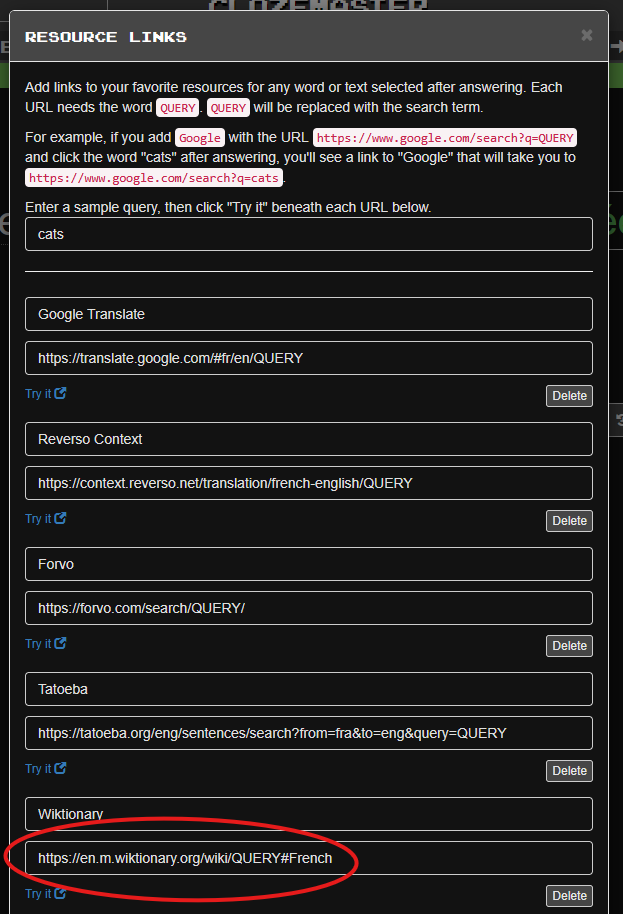
I’ve circled the existing Wiktionary link, which is for the English Wiktionary page that points to a queried French word. Presumably, the part that says “French” in my example says “Icelandic” in yours. You’re probably seeing “de.m.wiktionary.org”, which you should replace with “en.m.wiktionary.org”. Alternatively, you can leave the existing entry in place (perhaps changing the name to something like “Wiktionary-Deutsch”) and add a separate entry called “Wiktionary-Englisch” that points to the “en.m.wiktionary.org” link I mentioned.
Thanks for the explanation — that’s helpful, and I’m aware that the external dictionary links can be customized this way
Just to clarify my point:
My suggestion specifically refers to the integrated Wiktionary view, not the external dictionary links.
While external links are configurable, the integrated view used to allow much faster access with fewer clicks, which I personally found very useful — especially when looking up etymology in Icelandic, where I tend to consult Wiktionary quite frequently.
So my feedback is mainly about:
the convenience and learning flow of the integrated Wiktionary view, and
the possibility to choose which Wiktionary language (e.g. English vs. German) that integrated view uses.
I hope that helps clarify what I meant — and thanks again for taking the time to respond.
Okay, I see what you mean now. The automatic Wiktionary display only occurs when the app is configured to display a slideout rather than the popover that I use. I didn’t realize there were effectively two Wiktionary links by default.