I’ve noticed on a number of occasions that the text overflows in the missing word field, using the Dutch course.
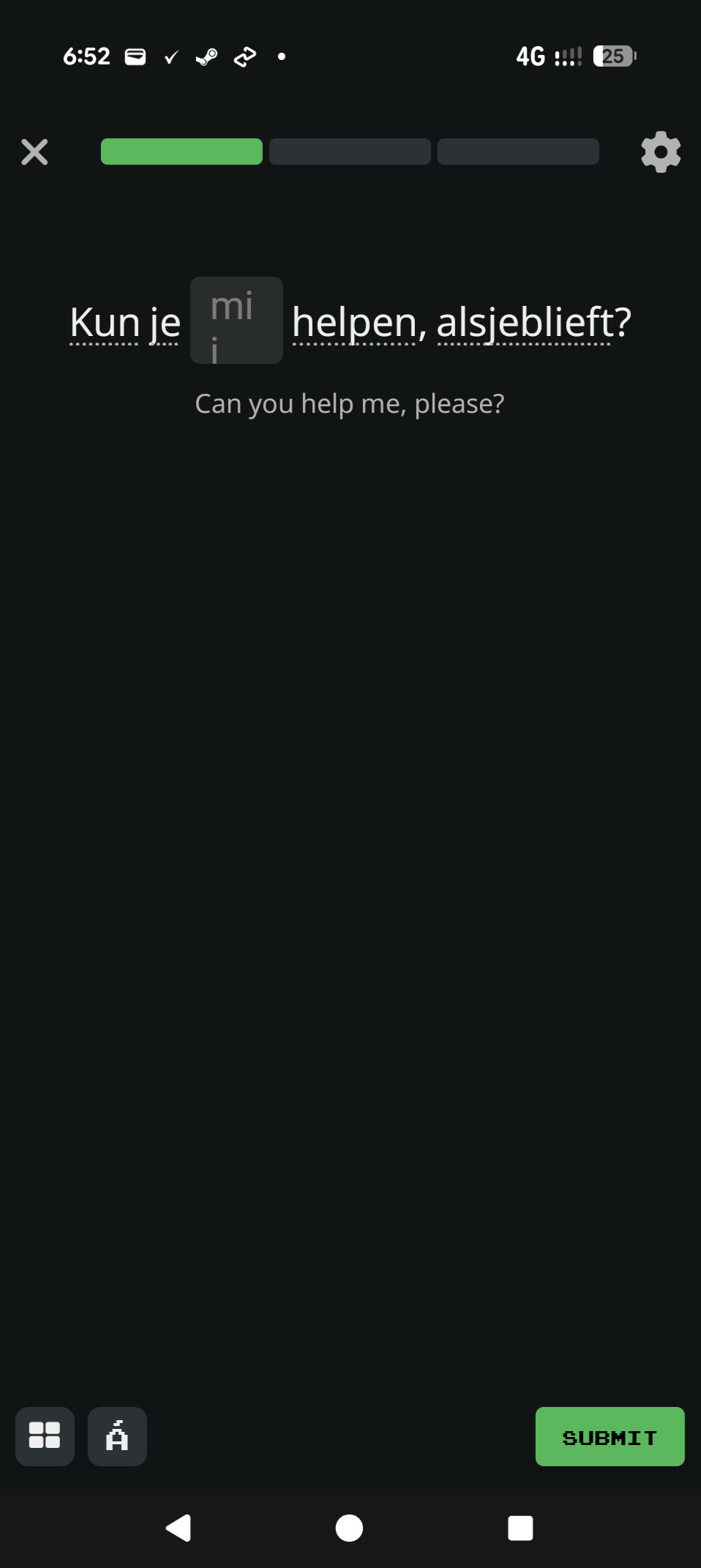
I’m assuming that this is on the Android app rather than an Apple app or the web from the controls at the top of the screenshot. (I also recommend adding the version with posts like these; you’ll find that at the bottom under the “Account” icon on the home page. To the best of my knowledge the current Android version at the time of writing is 3.17.0. If yours is earlier I suggest upgrading it from the Play Store.)
Go to the gear icon at the top right and scroll down to see whether “Text box size changes to fit the missing word” is turned on. Even if it’s not the box should be wider than the one shown, but it’s the first place I’d look.
1 Like