before i could click ‘next’, now im forced to choose hard, normal, easy. Why has this changed? Did i accidentally hit something in settings or they changed the platform? it’s annoying.
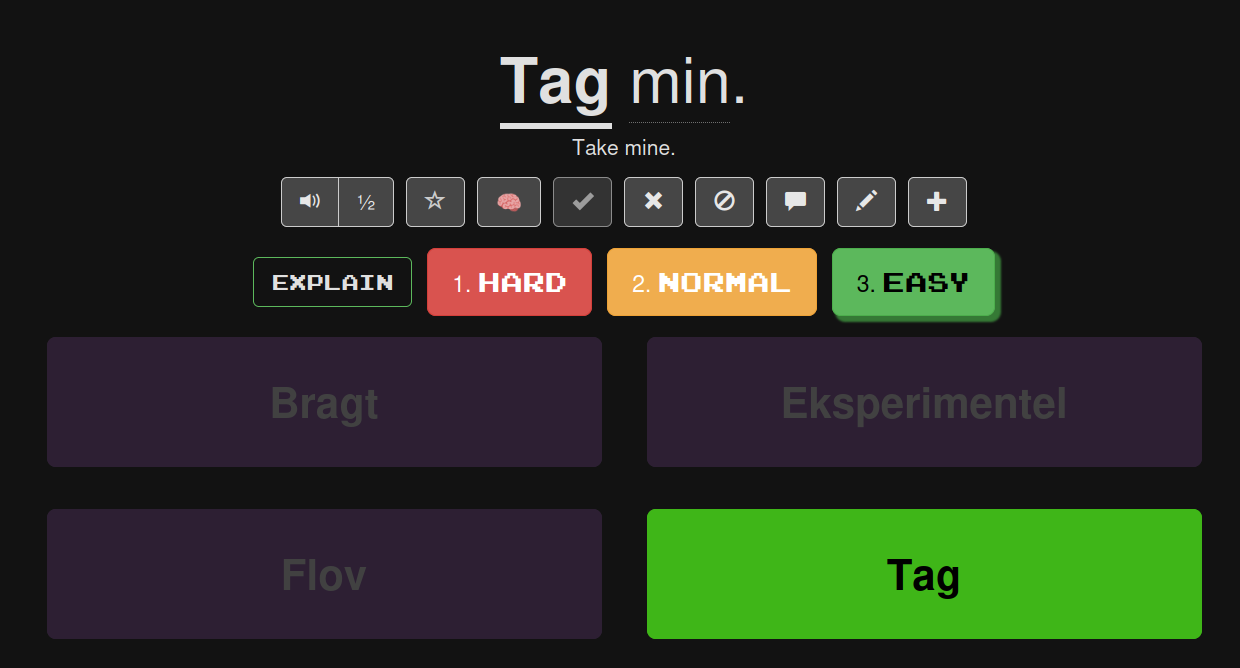
Hi, I’ve never seen this before although when I go from one Collection to another I do sometimes have to choose. But this doesn’t appear in the form you describe above. Be interesting to hear from others.
1 Like
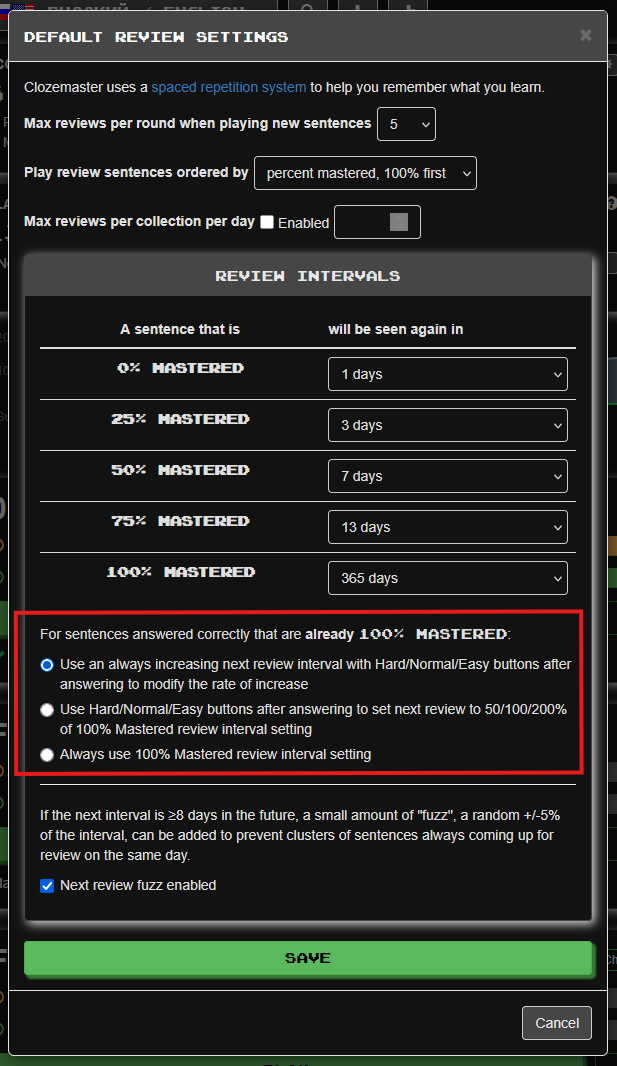
At least on the web version it’s an option in the review settings, ‘For sentences answered correctly that are already 100% Mastered’. The last choice removes the buttons.
Hitting Enter selects Easy (I think) so you aren’t forced to make a choice. Of course you’re still making a choice. I mean it doesn’t cost you time.
3 Likes
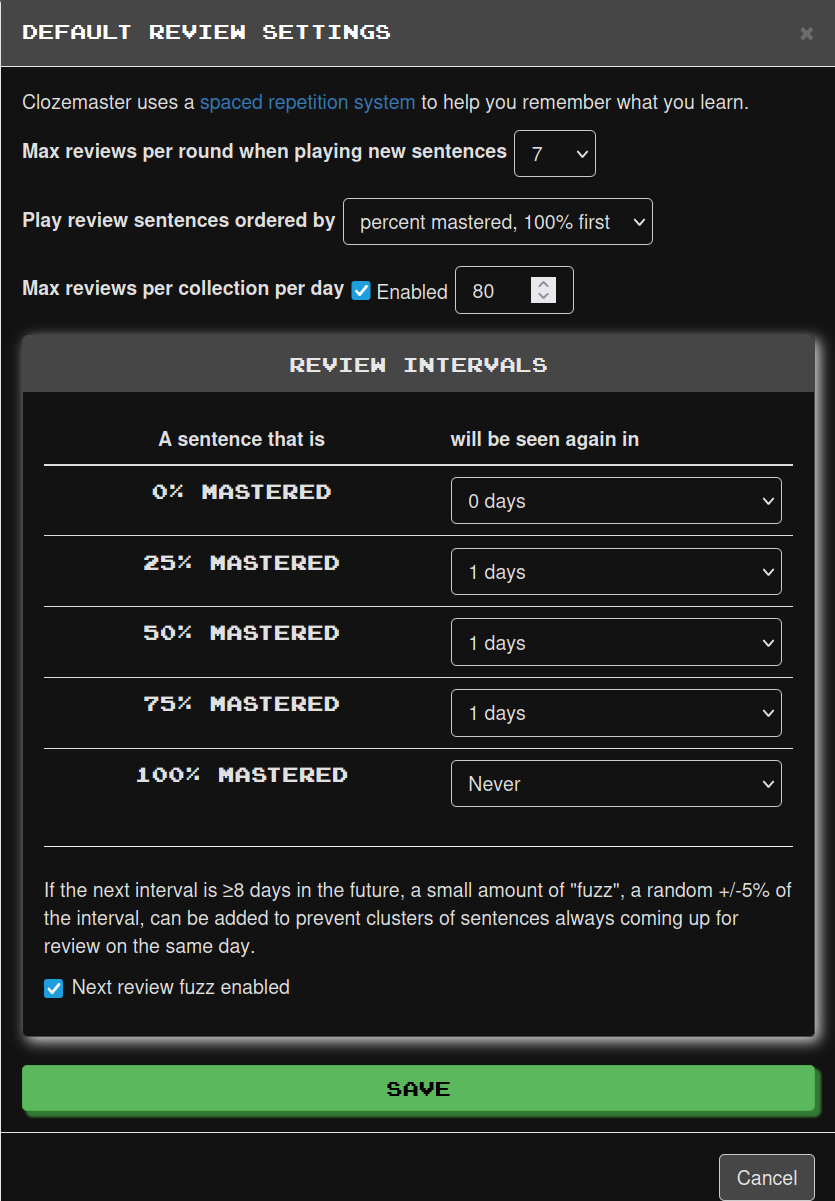
i think i remember seeing that in the review settings but i don’t have it anymore. I didn’t realise i could just hit enter, that would solve it for me, thanks
1 Like
I still see the section with the three options for sentences that are already 100% mastered. I’m not sure why this is not showing up in your dialog.
3 Likes
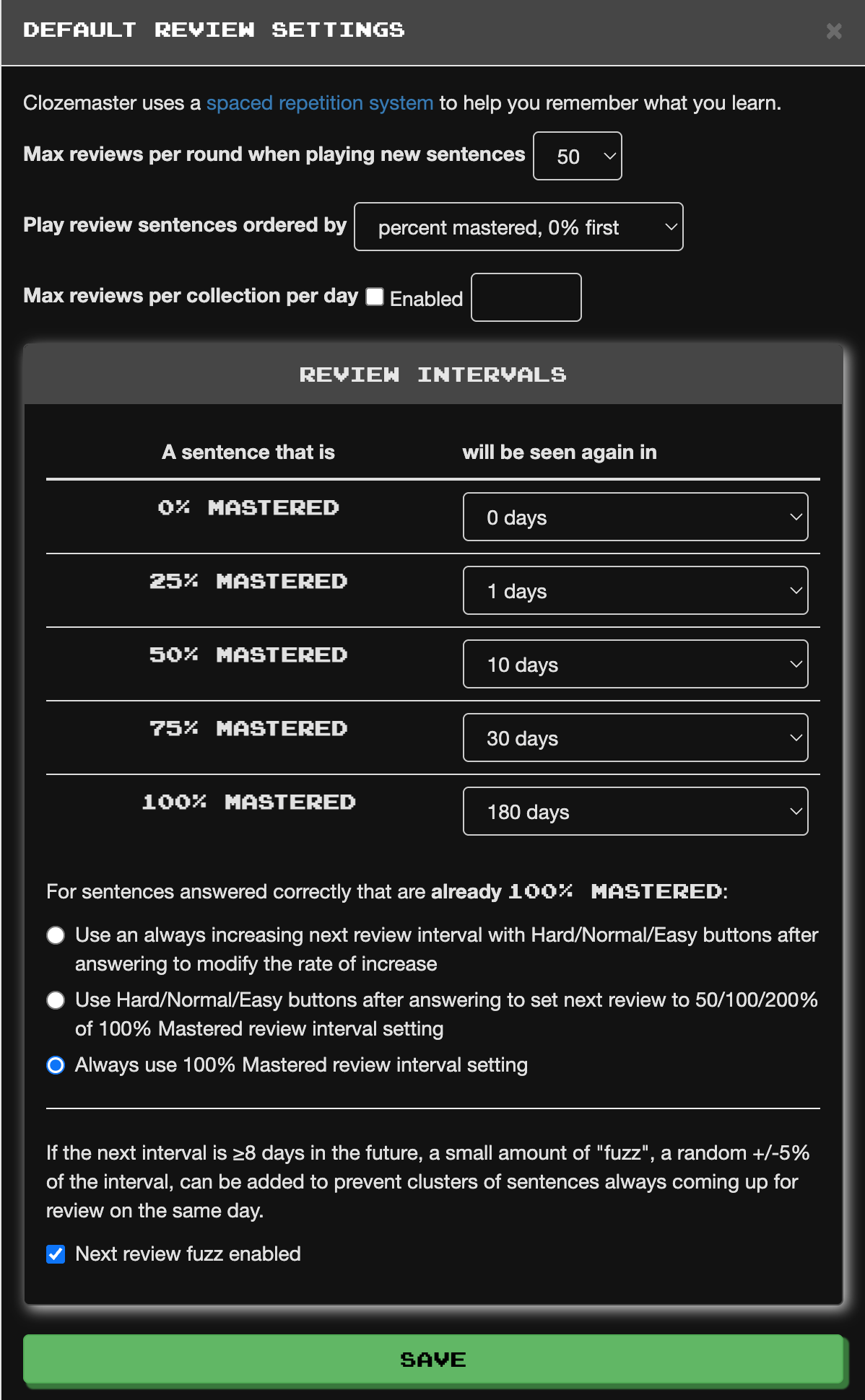
If I may give you an advice, since you could need some guidance, judging from your other topic: Your settings go completely against the idea of spaced repetition and aren’t conducive to learning.
I recommend you use these settings:
1 Like
Likely because your sentence reached 100% and your configuration is to show these buttons for sentences that reached 100%.
You can disable that behavior like others have already commented.
Side info: At some point, Clozemaster experimented with showing these buttons not just for sentences that reached 100% but for all sentences, regardless of their percentage.
1 Like
thanks, i changed “play review sentences ordered by”=0% first and now i see the ‘next’ button when i review. I wanted it as 75% mastered first so i could get rid of those that are close to mastered first
Advice: Read about the forgetting curve. You want to focus on the sentences first that are far away from being mastered (25% and 50%, and of course wrongly answered cards that were sent back to 0% but aren’t unseen anymore).