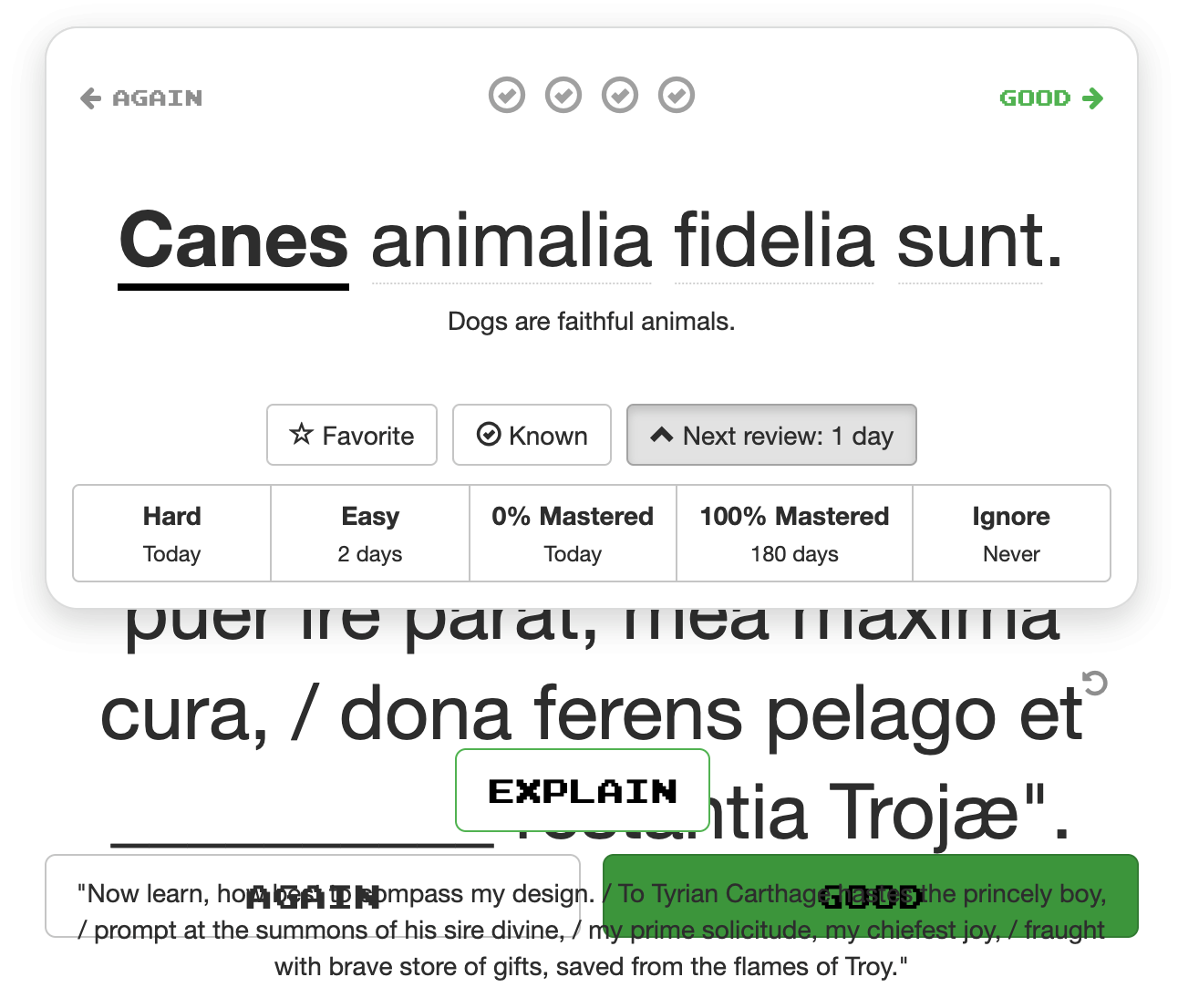
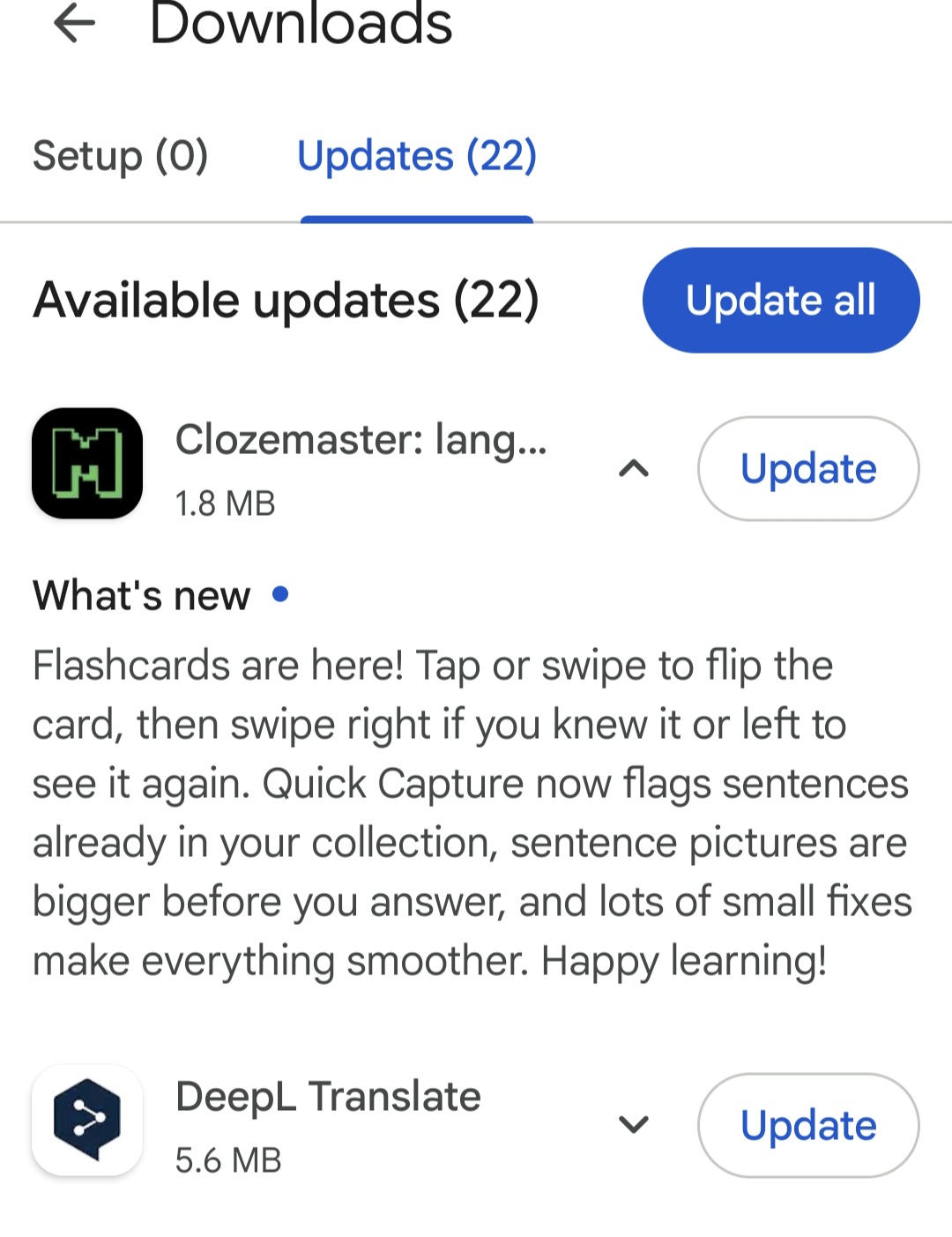
I really like Clozemaster, but there is one feature I miss. In addition to the existing functions “Multiple Choice” and “Text Input”, I would also like to have some kind of flashcard mode.
For example, you see only the cloze text and the full translation. Then you have to consider which word is missing.
After that, you can uncover the missing word and decide whether you were right or wrong.
I would be happy if such a mode could be added in the future.
I just thought of this feature and I’m glad someone else thought of it too.
The main point of the feature is that the computer wouldn’t try to test you. Instead, you decide for yourself if you already know something or not. That way you can go through sentences much faster, you don’t need to type, and if you’re honest with yourself (which you need to be to play the regular mode anyway) it can even be more accurate, because you’d be able to play without hints, which in the normal modes isn’t very practical.
I’m not clear on the difference between Space and Enter. I’ve read the help. They seem to do the same thing. What does ‘mark good’ mean?
The card has a fixed width and for long sentences that makes the page too long so you don’t see the interface anymore event though there’s plenty of white space on the sides. I think it would be better if the card was wider in these cases.
Last, this goes for all the other modes as well, but it’d be nice if the easy-hard-etc buttons were given key tooltips or if these keys were documented in some other way.
Funny you should say that; I had not noticed that option before this morning and tried it out. I don’t know whether it is new, or whether I just hadn’t noticed previously.
I haven’t noticed that on Chrome, but I’ve tended to cull back really long sentences in my collections because I want to drill the whole sentence in rather than just the Cloze.
On Space and Enter, if there is a difference then I haven’t picked up on it, at least not when it comes to the [Reveal] button. Either one seems to reveal. To select [Good], only the [Enter] key seems to be an option. On which subject, if you click on [Good] then the sentence is marked correct and you get full points for it. If you click [Again] instead, it is marked as “incorrect”, the mastered amount drops to zero, and the sentence comes back to haunt you like an incorrect answer in any other mode does. (Which is an interesting effect if you just want to review the sentence again, but… that’s how it works.)
The only bug-ish issue that I have found is that any “Hint” text does not appear when the sentence does. I use hints primarily where the Cloze can have multiple solutions to indicate which one is the primary one. The notes that appear post-answer (in which I put some clarifications or “Beware of…” warnings) are fine.
Can I see myself using it? I think not. Some of my personal collections have very short clozes because as I said, for me hammering the whole sentences into my head rather than the cloze is my objective. HOWEVER, regardless of how short the cloze is I still need to interact with the sentence by entering that cloze. It still makes me stop and react with an input that I have to initiate. With the flashcards on the other hand, I’m just hitting [Enter]. Maaaaaybe I might use it just to listen to the sentences… but it’s just a little passive for my taste. But that’s just me; clearly other people will have mileage that varies on this, and I can see why some want the mode.
(I do use Anki flash cards, but more for visual than text testing. I’m sure that some day I’ll be able to identify all 110 provinces on the Italian maps, but that’s a very different learning issue to this. I suspect that even Sergio Mattarella can’t reel off the whole list from memory.)
My first impression, using the browser on my phone, is that some sentences are cut off at the right; the text doesn’t flow with the width of the screen.
Furthermore, I can’t find the Edit button. And there’s no way to access the sentence source. I don’t think this is for me, sorry.
The keyboard shortcut “Alt r” (which normally resets to 0% without marking the card as incorrectly answered) doesn’t work in this new flashcard mode.
Context: I have two uses cases for clicking “Again”:
I didn’t know the answer, not even with a hint. I failed to answer correctly. It should therefore be marked as incorrect.
I struggled hard to come up with the answer, but I ultimately recalled the correct answer. I don’t want to click “Hard” in such cases which would still move, say, a 75% card to 100%. I clearly don’t have the card 100% mastered. I want to reset the card to 0% without marking it as incorrect because I did recall the correct answer. For this use case I normally press the keyboard combination “Alt r”.
The “Again” option in the new flashcard mode supports only the first use case but not the second use case. The new flashcard mode currently doesn’t cover my workflow. It would have to cover both use cases for me to consider using it.
Generally I like the idea of the flashcard mode because multiple choice mode is too easy, but I don’t always have a proper keyboard at hand to play the hard mode. I realize this new mode is still new and I hope the second use case will be implemented.